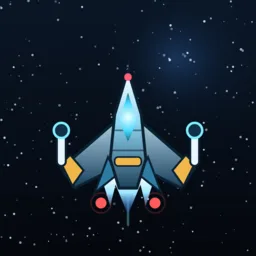
Cosmic Shot
Portrait bullet-hell shooter: 10 sectors, base building and loot. Fully offline - no ads, no purchases, no data collected.
Cosmic Shot is a portrait bullet-hell shooter: 10 campaign sectors, 8 repeatable side ops and an endless survival mode. One thumb, or a slight tilt of the device, is all it takes to slip through the pattern.
A sortie brings back cargo, not just a score: your cargo bay is small, the warehouse fills up, and 17 loot and gear items can be mounted on the ship to push an upgrade line past its shop cap. 6 ships trade seven stats against each other, and 8 upgrade lines are bought with credits.
Steering is yours to choose: gyro (tilt to fly, per-axis sensitivity, one-tap re-centre, per-axis flip) or the on-screen virtual joystick. Fire automatically or hold to fire. A hardware keyboard works on iPad too.
Built to be readable: four text sizes and an element scale from 1.00x to 2.00x that grows ships, bullets and crates together - hitboxes included. The interface is available in Simplified Chinese, English and Japanese, switchable in game.
No network, no account, no analytics, no ads, no in-app purchases, no subscriptions. Your save lives only on your own device.
Downloads
Get it on the App StoreiPhone / iPad
Installed from the App Store, updates are pushed to you by the App Store instead of needing a reinstall from this site.
iPhone and iPad, portrait only. No ads, no in-app purchases, no data collection - the whole game runs offline.
How to play
Thirty seconds to start
Sortie: pick a campaign sector, a side op tier, or endless survival. Waves come one after another; sectors 6, 8 and 10 have bosses.
Move: drag the on-screen stick, or turn on gyro steering and just tilt. Buttons on the play field cover fire, bomb, supply and pause.
Fire: automatic fire is on by default; switch to hold-to-fire in settings if you prefer timing it yourself.
Gyro steering
Settings - Gyro steering: sensitivity is separate for the two axes, so a fine drift on one axis never forces you to fight the other.
Re-centre takes your current holding angle as zero; press it whenever your wrist drifts. Each axis can be flipped independently if the direction feels reversed.
The gyroscope is only used while you play, and only in memory - nothing is stored or sent anywhere.
The base: hangar and upgrade lines
Eight upgrade lines - cannon, spread, shield, missile and the rest - are pushed forward with credits. Every line has a shop cap, but gear mounted on the ship adds bonus levels on top of it.
Six ships trade hull, shield, speed, ammo, bay space, damage and fire rate against each other; there is no strictly best ship, only one that fits the build you are running.
If a wave is too thick, sell loot, re-tier your upgrades and go again - that loop is the game.
Cargo bay, warehouse and shop
Your cargo bay is small, so what you haul home is a decision: keep the gear you can mount, sell the rest.
When the warehouse fills up, buy shelving in the shop. Side ops exist to farm a specific loot tier repeatedly.
Comfort and accessibility
Element scale 1.00x-2.00x enlarges ships, enemies, bullets and supply crates together, hitboxes included - what you see is what hits.
Four text sizes scale the buttons and spacing too, not just the labels. Notch and home indicator are handled automatically.
Interface languages: Simplified Chinese, English and Japanese, switchable in game at any time.
Offline, by design
Cosmic Shot never opens a network connection. There is no login, no analytics SDK, no ads and no purchases.
Your save (credits, progress, upgrades, warehouse) is written to the app sandbox on your own device; uninstalling removes it.