Washday Lab
A four-step laundry knowledge game: 19 garments, 10 fabrics, 11 stains, every answer with a source. Offline, no ads, no purchases, no data collected.
Washday Lab is an offline laundry-knowledge game. Pick a garment, then make one choice at each of four steps - wash method, stain pre-treatment, washer settings, drying. Every choice comes with an explanation of its effect and an illustration: shrinking, felting, stiffening, fading, pilling, static, clumped down.
19 garments, 10 fabrics, 11 stains, 4 steps. Every verdict comes with its source: 43 entries, listed with URL and date of retrieval.
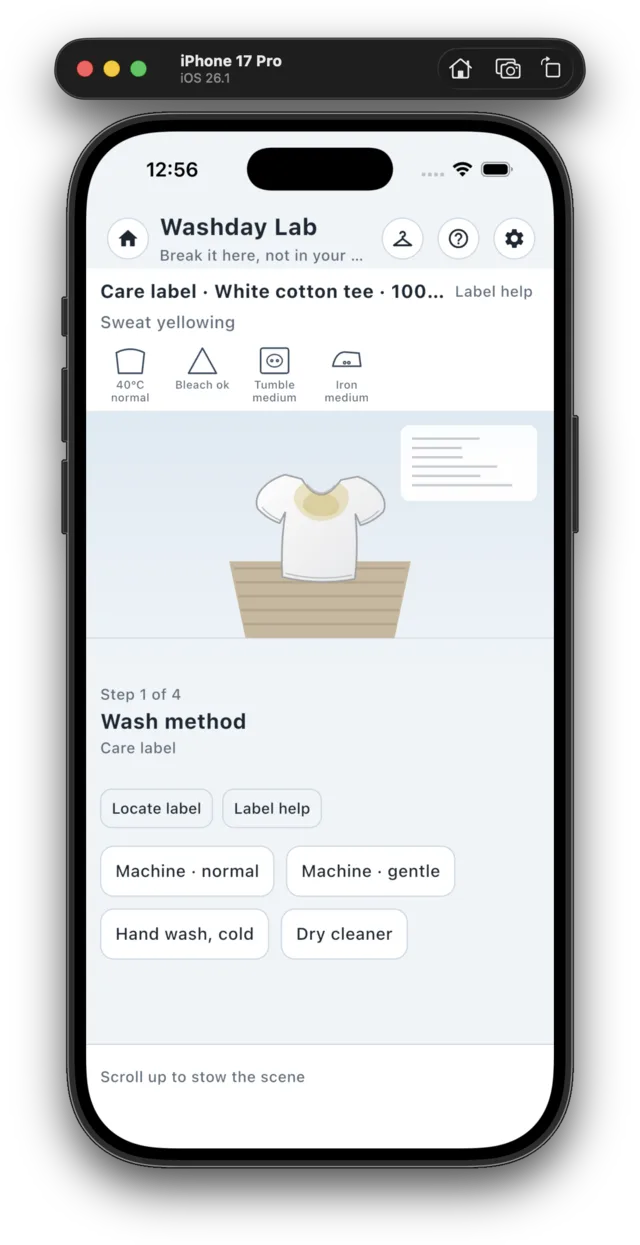
Each garment carries a care label - wash tub, bleach triangle, drying squares, iron, and the bars for gentler settings. Tap a symbol for its meaning and source, or use "Locate label" to scroll to it and highlight it.
After step four, the result screen shows the run score, the maximum and the star rating, the steps that went wrong with their verdicts, reasons, sources and better options, plus cleanliness and garment-health measures.
"Diagnose" starts from what you can see on the fabric - pilling, greying or yellowing, towels that no longer absorb, flat down, a smell that survives the wash, lint attraction, shrinkage, faded denim - identifies the cause, and gives a fix you can do at home with a before/after view.
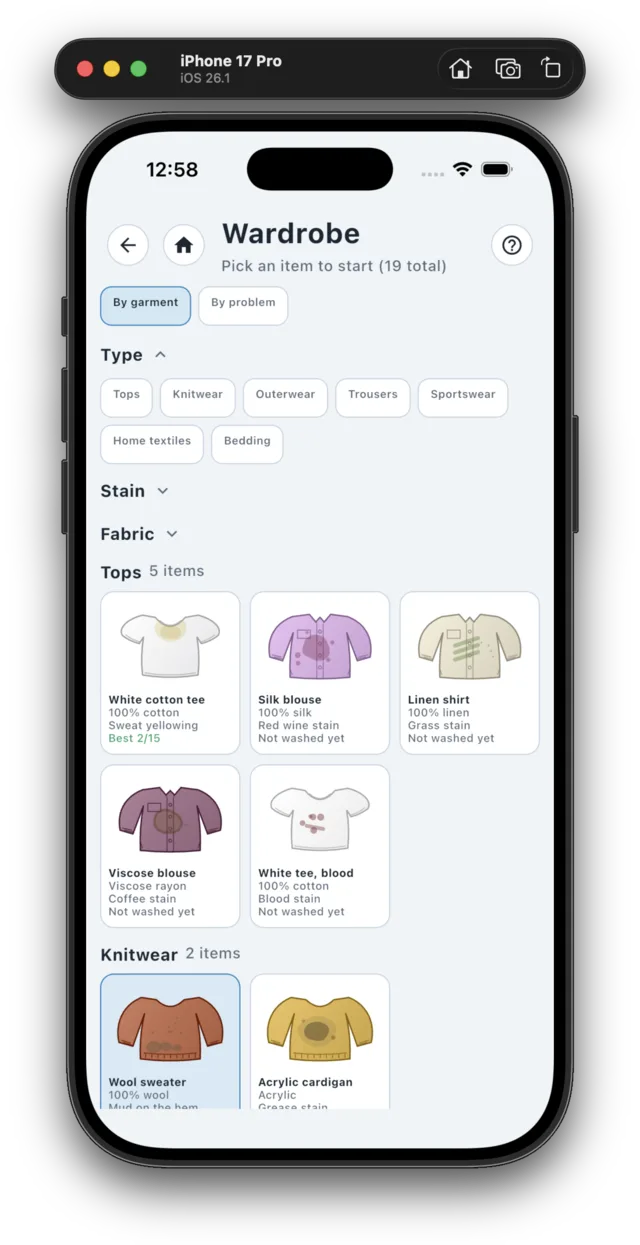
The wardrobe groups all 19 garments by type and filters by type, stain and fabric. Cards show a preview, the fabric, the stains and your best score. Your last ten runs can be searched and replayed.
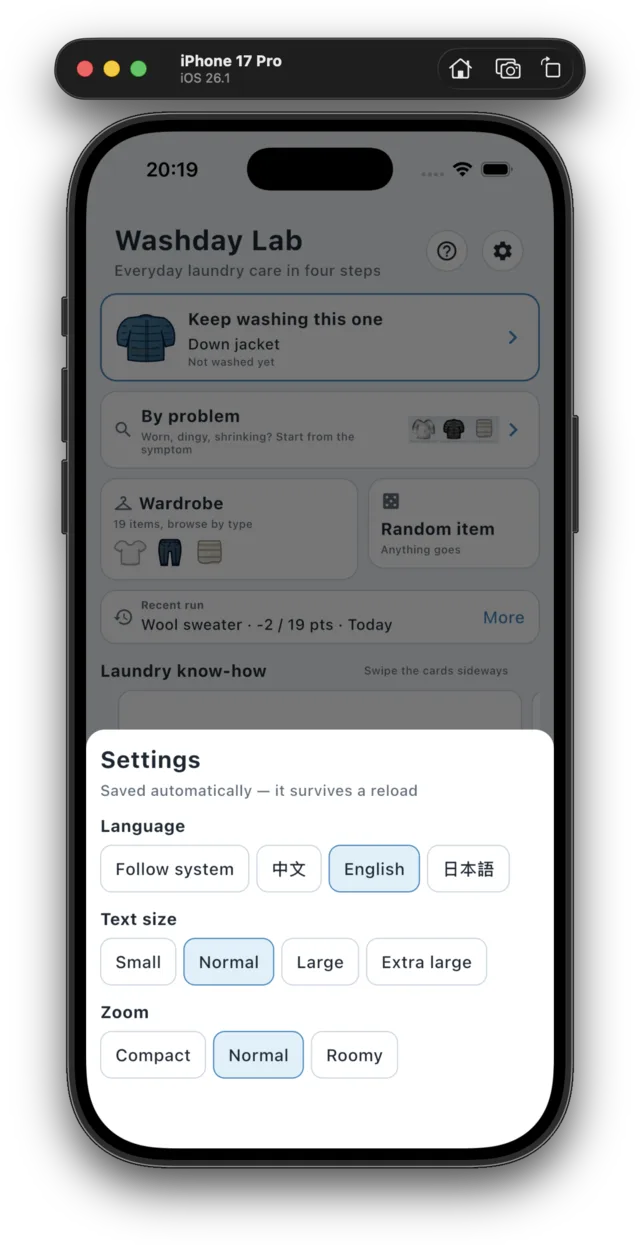
The interface is available in Simplified Chinese, English and Japanese, switchable inside the app. Four text sizes and three interface scales.
Fully offline: no account, no analytics or advertising SDK, no in-app purchases, and the release build requests no permissions. The save is one JSON file on your own device (settings plus the last ten runs) and is removed with the app. The app is not on the App Store yet, so this page offers no store link and no installer.
Usage
Start a run
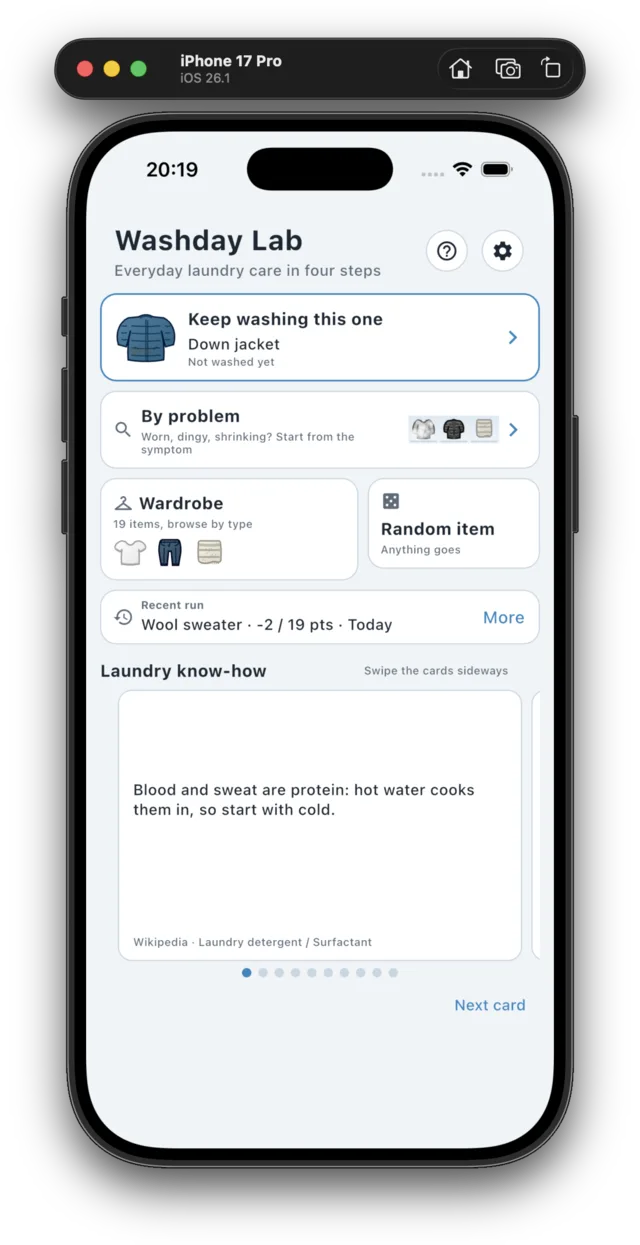
The home screen offers three entries: the next unwashed garment, the wardrobe, and a random garment. Stains belong to the garment and are not generated.
Below, the screen shows your most recent run and the knowledge cards. Each card cites its source and can be swiped.
Complete the four steps
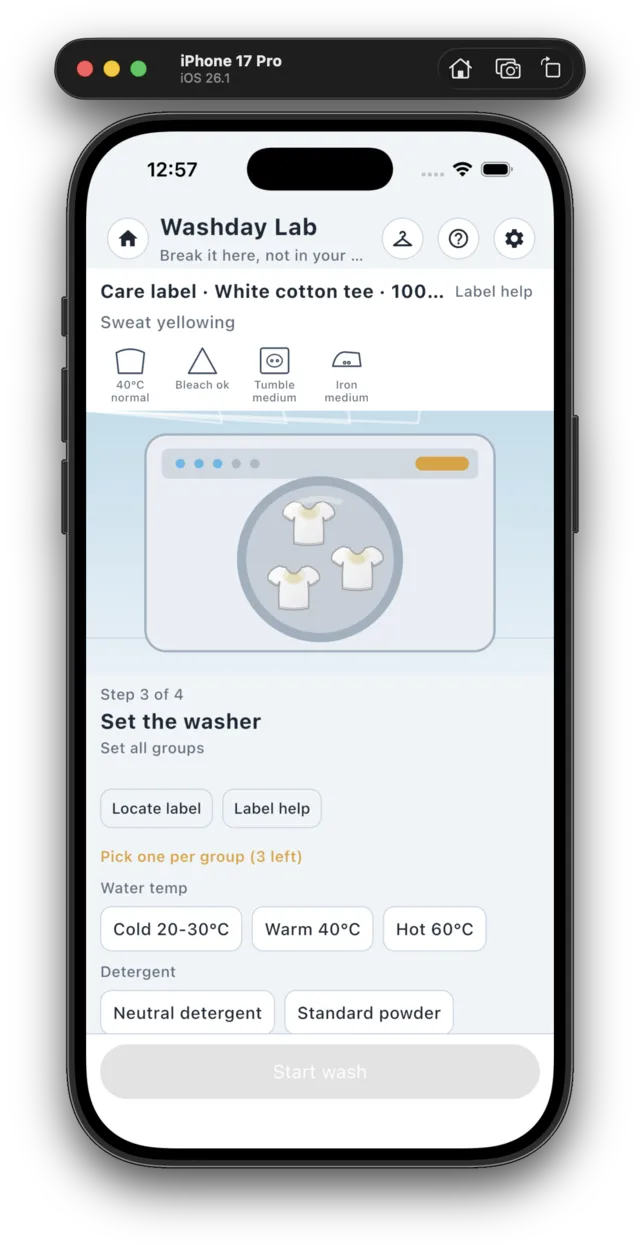
Wash method, stain pre-treatment, washer settings, drying. Each step offers a set of real options; after each choice you get an explanation of its effect and an illustration.
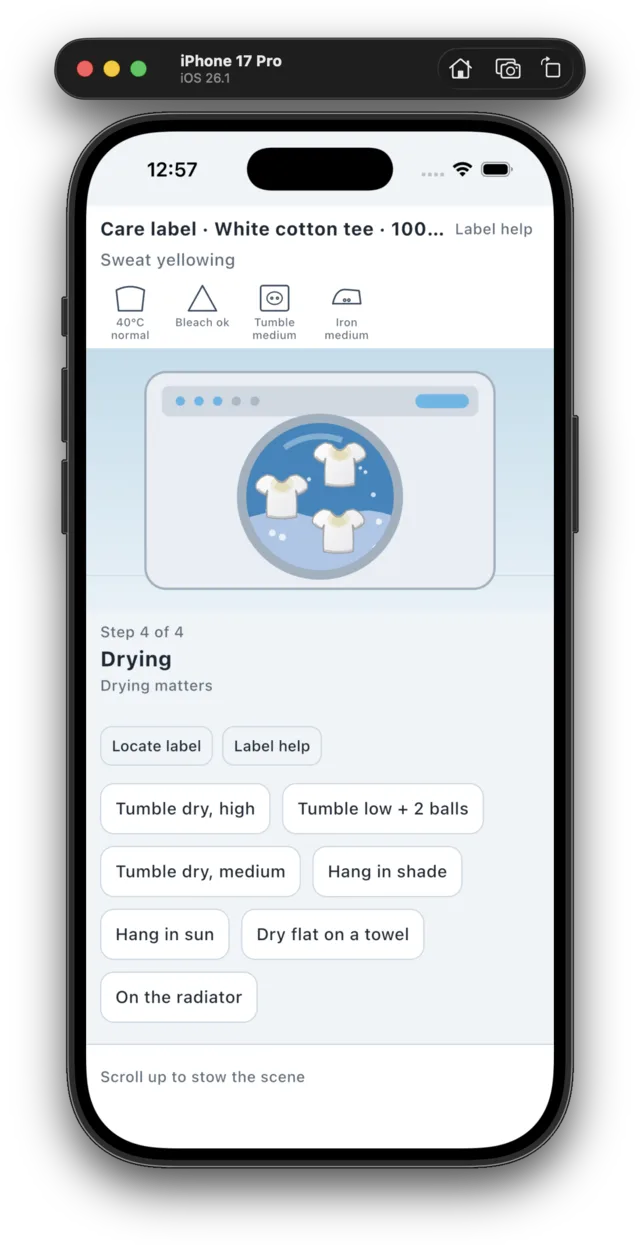
The washer step has three groups - water temperature, detergent, additives - one selection per group, with the care label pinned above the options.
Read the care label
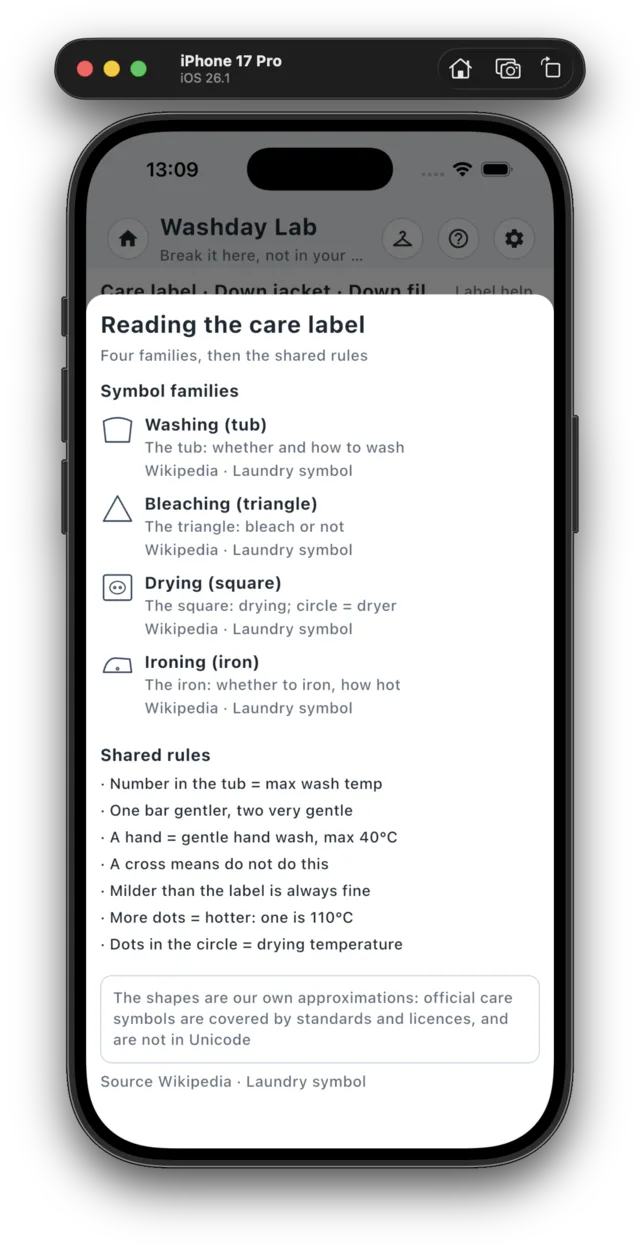
The label shows the wash tub, bleach triangle, drying squares, iron and the gentler-setting bars. Tap any symbol for its meaning and source.
"Locate label" scrolls to the label and highlights it; "Label help" opens the full explanation.
View the result
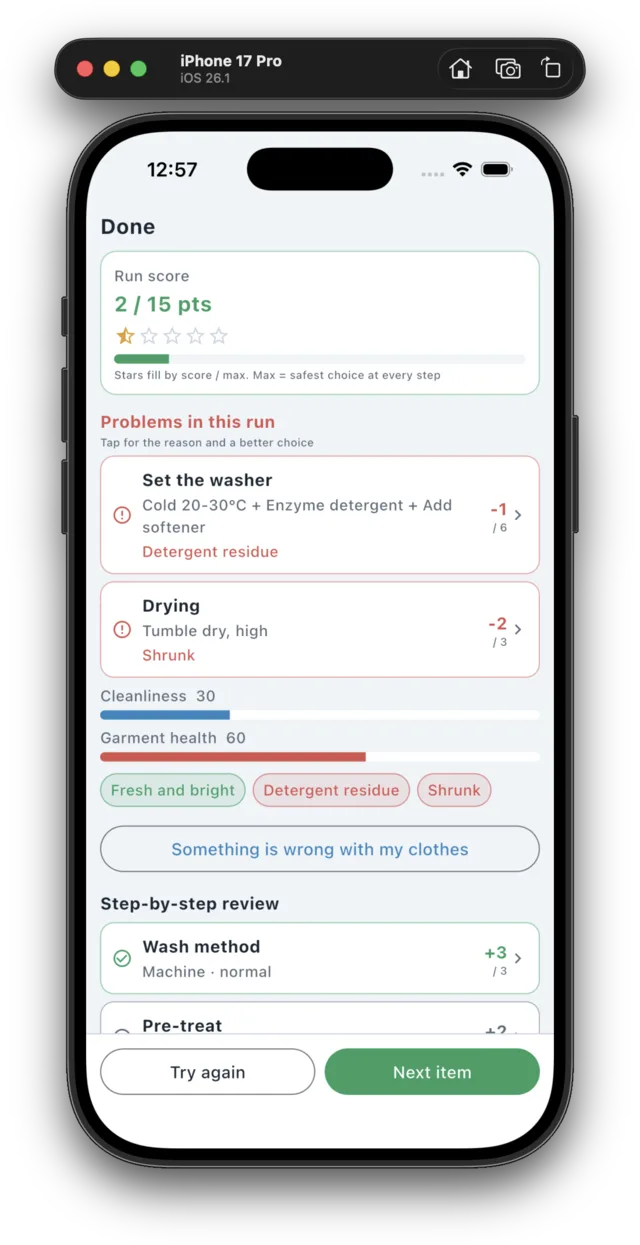
After step four the result screen shows the run score, the maximum and the star rating. The maximum is the sum of the best option for this garment at each step.
Below it are the steps that went wrong - each opens into its verdict, reason, source and a better option - then cleanliness and garment health, consequence tags, and a step-by-step breakdown.
Diagnose from a symptom
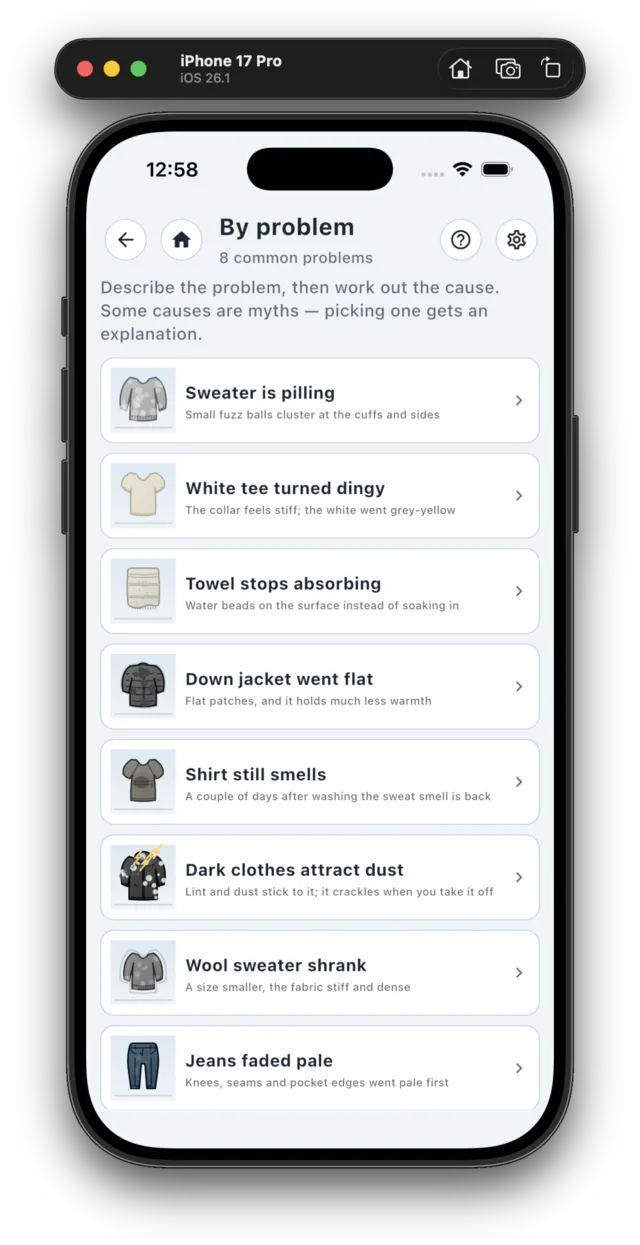
Pick one of eight visible symptoms, then identify the cause.
You get an explanation of the cause, a remedy you can do at home, and a before/after view of the same garment.
Wardrobe and filters
19 garments grouped by type, filtered by type, stain and fabric: several selections inside one group are combined with OR, different groups with AND.
Cards show a preview, the fabric, the stains and your best score. The wardrobe button in the level's top bar opens the same screen and switches the current garment.
History and replay
A run is recorded once you finish it and view the result. Up to ten entries are kept, one per garment and set of choices. Search by garment, type, stain or the four steps, or show only runs with problems.
Selecting an entry opens that run's result screen, marked as a replay.
Language, text size, scale
The interface language follows the system by default and can be set to Simplified Chinese, English or Japanese without a restart. Four text sizes and three interface scales are available.
The top bar of the level, wardrobe and diagnose screens provides "Home" and "Help".
Offline and local data
The app contains no networking code and no third-party dependencies beyond the UI toolkit; the release build requests no permissions and behaves identically in airplane mode.
Settings and the last ten runs are stored in the app's own storage on your device and are deleted when the app is removed.